Back in September, the MTA announced their first Open Data Challenge. The idea is that they publish a lot of data online for free and want to encourage people to make use of it, so they announced a challenge where the most creative uses of their data after a month would win MTA memorabilia.
For my submission, I built a website that displays the real-time number of people that have ridden the subway so far today. While I didn’t win, I had a lot of fun building the project. The other submissions were super impressive too - I highly encourage you check them out on the MTA’s blog. My personal favorite is Noah Gunther’s Lately on the MTA, which is frankly a better version of my own project.
Overview
My project consisted of three components:
- a web client that displays a ridership counter in real time. The counter starts at 0 at midnight and continuously increments throughout the day.
- an Android client which does the same thing as the web client.
- a backend that periodically syncs data from the MTA’s open data store and exposes a few REST endpoints for the clients to fetch data from.
Result: the website
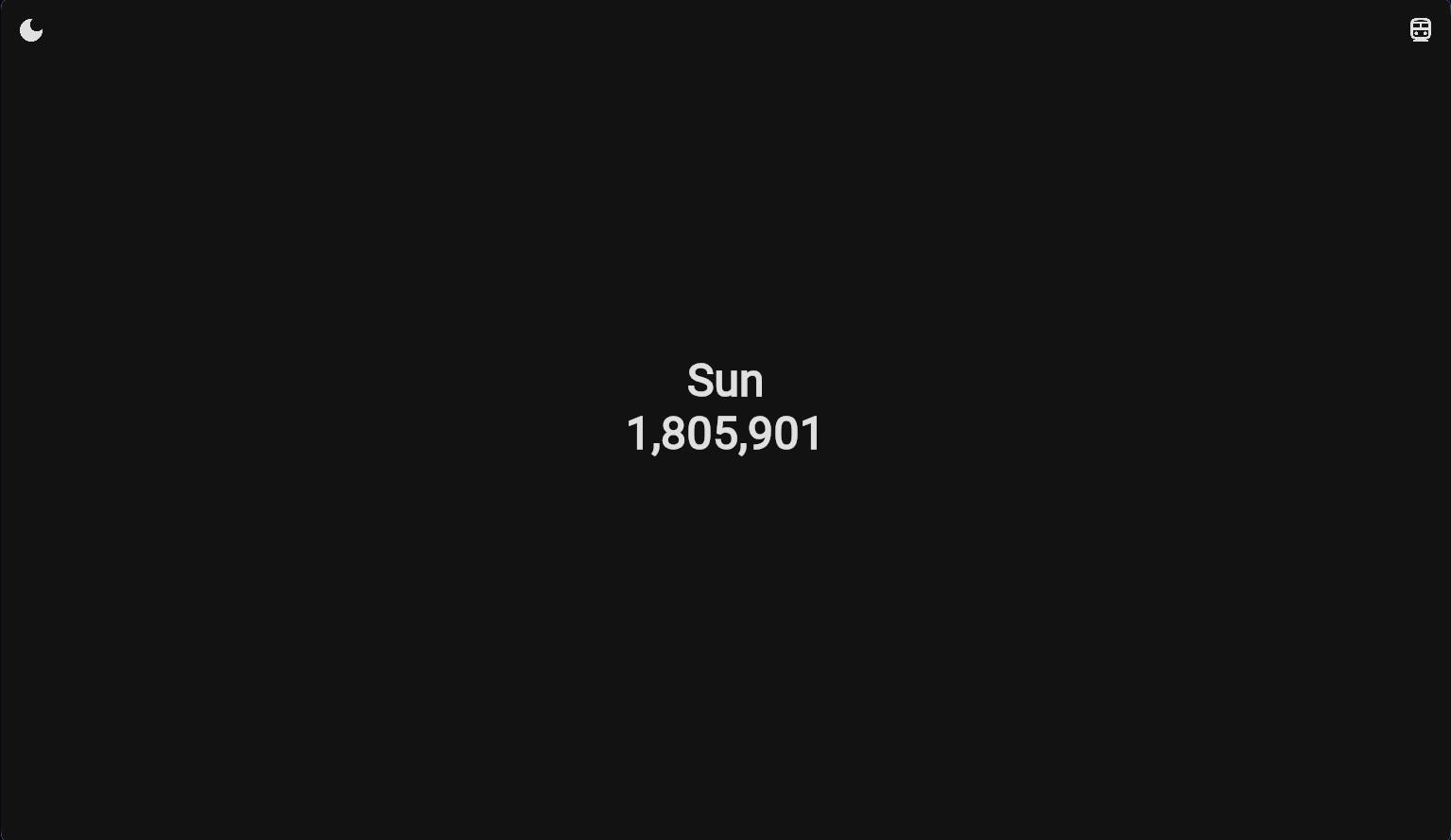
The website is visually simple. It consists of the day of the week in the middle of the screen with a big number below that increments constantly. There’s a button in the top-left corner that toggles lightmode/darkmode, and another button in the top-right corner that toggles a list of the top ten stations with the highest ridership.
In the station view, there are also counters next to each station.
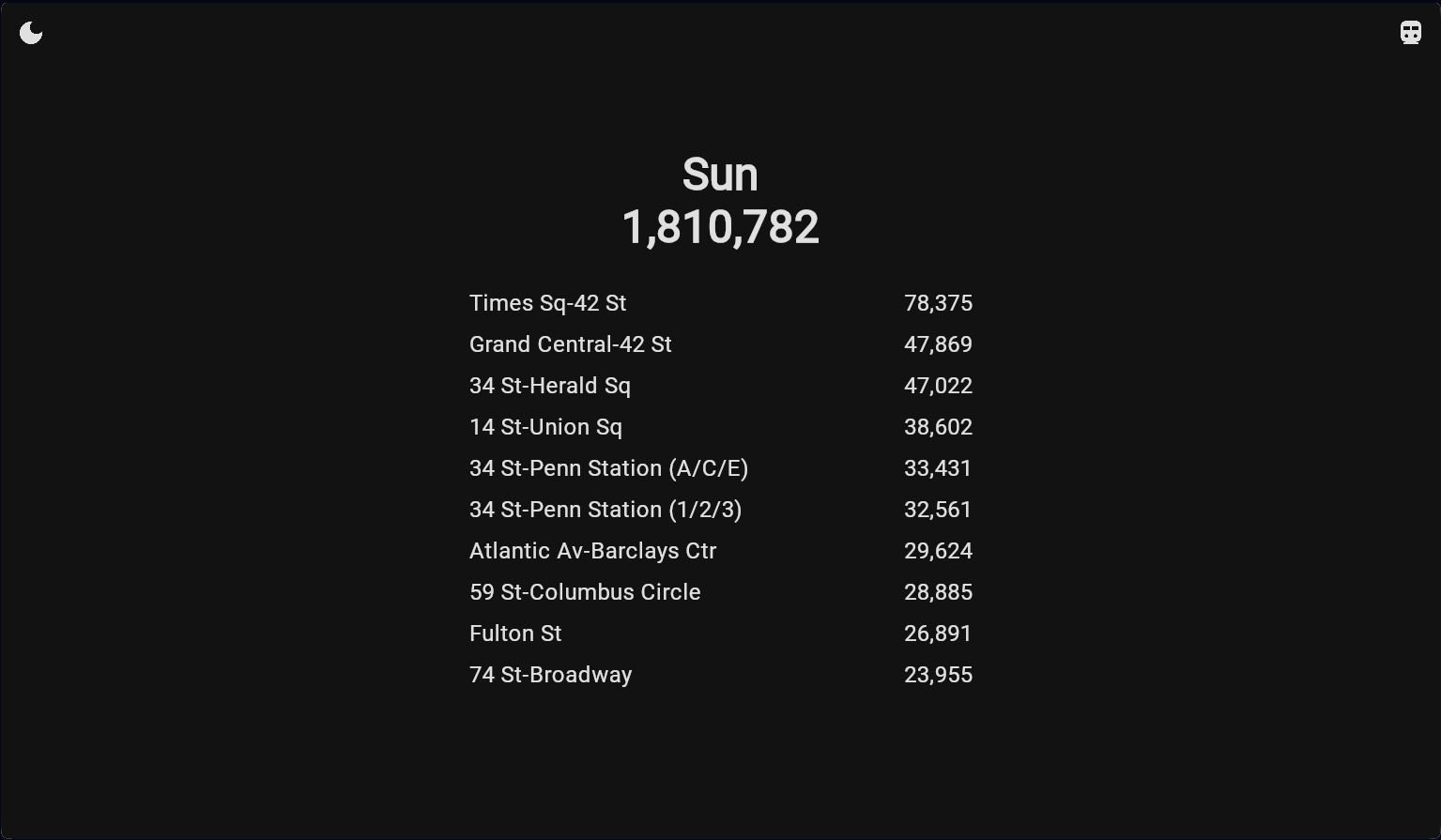
That’s it — it’s a very simple website. You can tell I’m not a UX-whiz. Still though, I’m happy with its minimalist design and the fact that it puts the coolest thing front-and-center - how many people have ridden the subway this very second.
Backend architecture
I used AWS to host five lambda functions: three “sync” functions that periodically aggregate data from the MTA’s full data source, and two REST endpoints that are used by my client apps. The sync functions are triggered by chron jobs and they store their data in four corresponding dynamoDB tables. The REST endpoint lambdas are exposed via an API gateway.
My sync lambdas each cached different data:
- one pulls all MTA subway stations names and IDs.
- one periodically fetches the total ridership for each day of the week, indexed by hour of the day.
- the last one does the same as the total ridership per hour lambda, but for all 472 stations in the system.
The sync lambdas were a bit of over-engineering. I could probably have fetched the data directly from the MTA’s data sources either from my REST endpoints or the clients directly. However, I wanted to create a layer of abstraction in order to limit how often I was hitting the MTA’s data. Plus, some of the data is big. The per-station data has millions of rows and takes a non-trivial amount of time to process. Doing one pass every week and caching the results is more efficient. Another, maybe more important, reason for doing these lambdas was because I thought it’d be fun to play with these pre-processing lambdas. I enjoyed building them, so I’d say it was a success.
My REST endpoints were comparatively simpler: one pulls the total riders and riders-per-second of the total system for the current hour, and the other pulls the same data for each of the top N stations in the system. I made the endpoint take as an input the number of stations to return as a way to easily extend my client in the future. If I want a client that fetches the top 100 stations instead, the code already accommodates that. My reasoning for the REST endpoints were similar to the sync lambdas: by having an endpoint that I define, I can host all the logic into re-usable backend components that can take advantage of caching and keep the complexity out of the clients.
Client architecture
For the clients, I used Kotlin Multiplatform to target both Android and web. The app uses Jetpack Compose for its UI and a Model-View-Viewmodel (MVVM) architecture. It’s very common to anyone who’s familiar with the current trends in application development.
Since the UI is so simple, so too is the app’s design. I have a single viewmodel which makes a call to each of the two endpoints every sixty seconds. This keeps its internal state up-to-date, of which it only tracks two things: the number of people riding the subway, and the rate of change in that number (it also tracks those same two metrics for each of the top ten stations, as provided by the /stations endpoint). The viewmodel updates its UI state by incrementing the number of passengers by the rate of change twenty times a second. The UI picks up this state change and re-renders the counter.
One thing that’s cool about this architecture is that it works offline once it gets its initial data. If offline for long-enough it will start to skew heavily from ground truth, but I figure for most cases this is good-enough.
As I’ll talk about in my thoughts on web below, another cool thing about this architecture is that the same Kotlin code works on both Android and web! I can deploy my app to both an Android device and my website and it works the same in both places. My hope is that this would also work more-or-less out of the box on iOS too, but I’ll leave that experiment to another day.
Thoughts on AWS
I’ve worked with AWS a lot at work, but working on mobile teams most of my career I usually end up on the consuming end of APIs rather than creating them. Even when I built endpoints at previous jobs, it was done through infrastructure-as-code and using solutions managed by infrastructure teams elsewhere at the company. This was the first time I actually set up endpoints and datastores from scratch.
My experience setting up this stack on AWS was a joy. It was surprising to me how quickly it was to get something simple set up and working in AWS, particularly when I contrast that with my painful experience getting even a simple endpoint working in Azure. All you have to do is copy-paste some javascript code into a built-in code editor and click “Run”. Then to make the endpoint publicly callable you just need to link it to an API gateway and give it a few permissions. While this is part is more annoying, the steps are well documented and intuitive if you understand a bit of how AWS is structured. Plus, given how ubiquitous AWS is there are plenty of guides online that explain the process in depth.
Overall, I found the whole process of getting my backend working in AWS simple and joyful. The free tier “just works”, and I can see how they’ve become the dominant cloud solution for many startups.
Thoughts on Kotlin Multiplatform Web
I’ve always loved Kotlin as a language, so the dream of writing a full stack targeting mobile and web using pure-Kotlin has always appealed to me. The web target has come a long way from what it used to be. Back when I tried targeting web in 2022 you had to do a lot of fiddling to get the web target to build. Worse, the UI components were html tags manipulated via Jetpack Compose, meaning your UI code couldn’t be easily shared between Android, iOS, and web even though it was all written in Kotlin.
Now in 2024, I was able to get the project up-and-running with fewer than 20 lines of web-specific Gradle code. Better yet, Jetbrains has an online tool that gives you a pre-configured project to download — no extra fiddling required. The UI developer experience is much improved too. The same exact Jetpack Compose code that I wrote for Android works out-of-the-box for the web target as well. All the standard Jetpack Compose UI building blocks work on web the same way they do on other targets. In fact, the web-specific code for this project was fewer than ten lines long:
@OptIn(ExperimentalComposeUiApi::class)
fun main() {
    ComposeViewport(document.body!!) {
        // by default make everything selectable on web
        SelectionContainer {
            App()
        }
    }
}
That’s it! And strictly speaking, the SelectionContainer is unnecessary. It’s a wrapper Composable I added to guarantee all text is selectable, which is something the framework doesn’t do by default.
How does Kotlin Multiplatform (KMP) pull off having the UI render on the web the same as on Android? Their secret is that the web framework creates a canvas element and renders everything on the page manually. Since Compose can render whatever it likes on the canvas, the framework can apply all the same UI logic on the web as it does on Android and thus re-use the same composables.
Given the constraints of the “write once, render everywhere” ethos that KMP is striving for, the canvas approach makes a lot of sense. It also looks pretty good to my eye! That said, it definitely has a bit more jank than if it was fully native. At times I could get the UI to freeze up, and certain behaviors that are expected on the web (like text being selectable) aren’t present.
There are a few things that make me particularly excited about where the technology is headed though:
- It’s ridiculously easy now to get a website building off of KMP, even off of an existing Android app. That lowers the activation energy for people to try it out.
- The UI looks pretty good! It might not be 100% parity with fully-native web UIs, but it’s close enough for many use cases.
- Due to the way that KMP has set itself up, you can easily add platform-specific overrides if you really want to give yourself native behavior. It’s not hard to imagine a project that starts off as 100% shared code and slowly adds platform-specific overrides for high-touch parts of the experience where native parity is important.
Overall, KMP for web has improved significantly in just a few years, and that makes me very excited.
Next steps
If I’m honest there’s very little chance I ever revisit this project. I’m happy with the outcome and I had fun building it, which is what matters. That said, I’d be remiss if I didn’t share some of my ideas to make the website better:
- Add graphics to make it prettier. I really like how Noah Gunther had animated cartoon trains in the background of his project, although my idea is to have the trains appear more or less frequent (with louder or quieter train sounds) based on how many people are currently riding the subway.
- Create a heat map of NYC to show frequencies of trains. I could add a visual blip on the map every time someone rides a particular station, with busy stations like Times Square getting big blips.
- Increase the accuracy of the ridership estimates by taking into account days with abnormal ridership patterns, like holidays. More people ride the train on New Years than Christmas, and that should be taken into account.
Takeaways
I’m really glad I did this challenge. Working on a personal project for a few hours each day after work was really energizing and not something I’ve done much of recently. I had a lot of fun building the website and playing with an AWS backend from scratch. Plus, I have a real website running in perpetuity now — a very satisfying feeling!
This project reinforced my belief that Kotlin Multiplatform Web has a lot of potential. Each time I look at it, it’s better than before. It’s unclear to me whether we’ll ever get to a point where really large corporate codebases are written and deployed entirely in KMP. I suspect not quite yet, but we’re definitely at the point where hobby projects can be easily deployed to the web from an Android KMP codebase. That alone is super cool and a far-cry from where the project was two years ago.
Lastly, in looking back at my previous years’ Advent of Code I noticed that 2024 was the year where I completed the most days - seven days of double-star solutions, vs. a maximum of five days back in 2022. That was pleasantly surprising to see. It’d be nice to complete all twenty-five days one of these years. Who knows, maybe in 2025!