This year (or should I say last year now), I wanted to use Advent of Code as an excuse to try something new. I thought of using Rust since my coworkers are using it on their teams and it seems like a cool language, but I decided instead to use Kotlin Multiplatform (KMP) since I’m more familiar with Kotlin and wanted to try out the Multiplatform compilers. Maybe I’ll do Rust next year.
Kotlin Multiplatform
Kotlin Multiplatform utilizes the three different Kotlin compilers — Kotlin JVM for compiling to JVM bytecode, Kotlin Native for compiling to native binaries, and Kotlin Javascript for compiling to Javascript.
In KMP you define common code that’s platform-agnostic, meaning you can only reference APIs which are available on all platforms. You can also specify platform-specific code that works with the common code but uses functionality unique to only one platform. Common code can depend on platform-specific APIs by using the expect keyword, which tells Kotlin that the definition will be provided at compilation time. Each platform you compile to must then provide corresponding actual declarations or else your code will fail to compile for that platform.
The Project
For this project, I to create a command-line program to executing my problem solutions. I could have written it as a Java command line tool like I’m used to, but I figured if I’m going to be using Kotlin Multiplatform I might as well make use of the non-JVM functionality. Since I was developing on a Windows machine, I targeted MinGW.
After a lot of trial and error with Gradle (Kotlin Multiplatform’s preferred build system on which a lot of functionality is built), I could build my command line tool by running:
gradlew linkReleaseExecutableMingw
Doing this creates .exe file in the \bin folder.
I’m pretty pleased with how the command line tool turned out. There’s definitely some rough edges, but the abstractions I built early on enabled me to easily expand the tool for each additional problem. I set up a system where each problem declares a top-level command it responds to, as well as sub-commands the user can execute to configure that problem. The most annoying thing initially was getting the file system access right, since I had to use native Windows APIs rather than the simpler Java APIs.
My goal in designing the tool’s interface was to make it conversational. When you run the tool, it asks you which problem you want to execute, followed by sub-commands to further configure the problem:
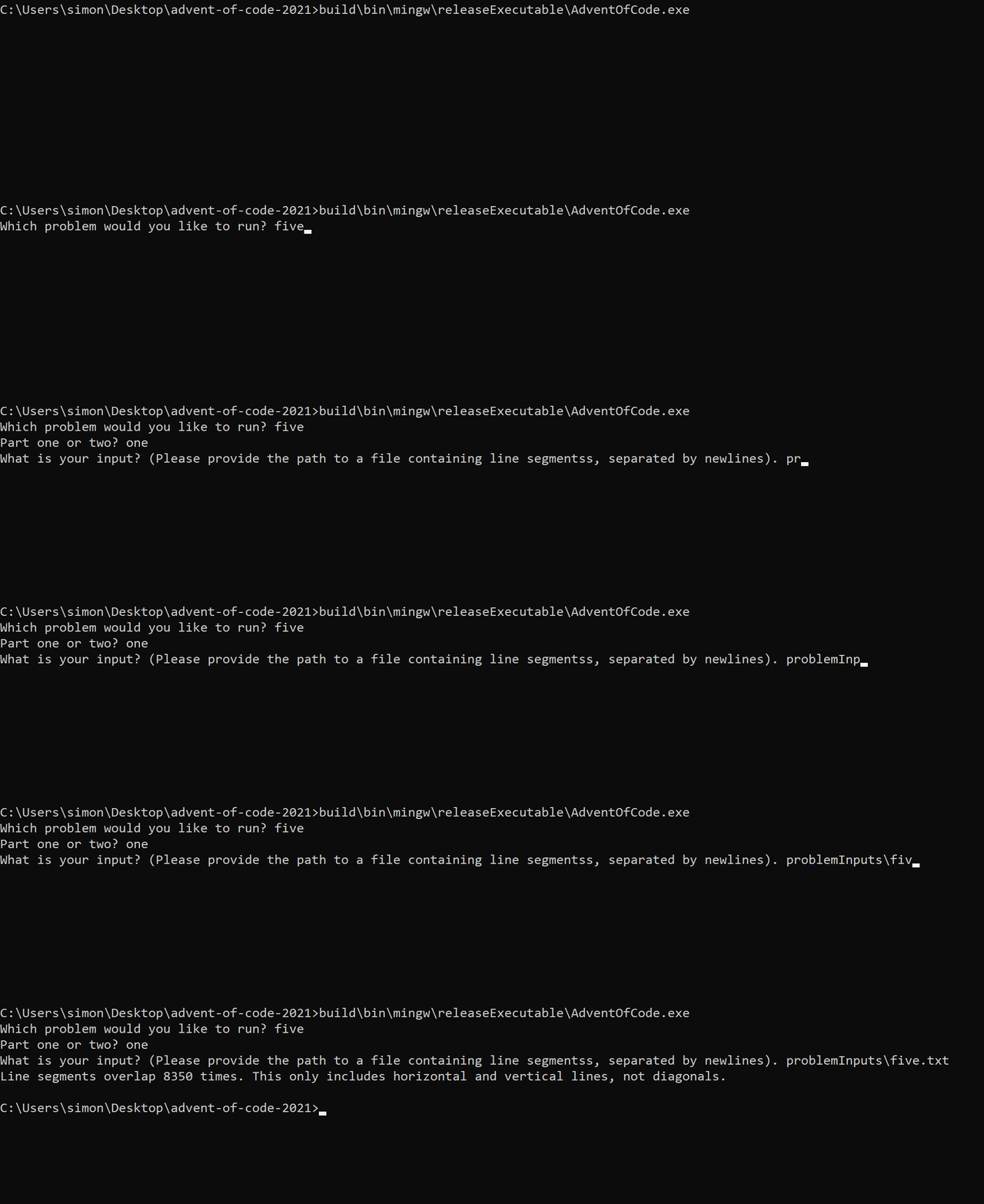
I’m also happy with my solutions, although most of them are very naive implementations. They were fun to write, and I especially liked the problems that required simulations since I was able to model the problem as a functional program with immutable state.
You can find my code on Github here: https://github.com/simon-duchastel/advent-of-code-2021
Things I Learned
I still like fold()
As I noted last year, I really enjoy certain aspects of functional programming — one of them being the fold() function. I think I used fold() in almost every single problem this year and tried to use imperative patterns sparingly. There were many times where I think that avoiding mutability helped me in these problems (although there were also a few times though where it led me to make mistakes and have a more complicated solution).
Kotlin Multiplatform seems to be meant for use in libraries
It seems to me that KMP’s intended use case is building libraries for other native projects. This makes sense as a way to have shared business logic that can be slotted into native applications, which seems to be Jetbrains’ (the developer of Kotlin) goal.
For example, I had difficulty getting Kotlin Multiplatform to compile to a standalone .jar rather than a library. I could get a .jar built, but defining an entry-point to the Kotlin program didn’t seem to work in my Multiplatform gradle project. I’ll admit this was compounded by gradle errors on my part, but it does seem like KMP encourages you to use it for shared libraries and is not yet mature for other use cases.
The build process is rough around the edges
As I mentioned before, I’m not a gradle expert. That said, my day job as an Android developer has made me pretty familiar with gradle. Kotlin Multiplatform has a very complex build system configuration and the multiplatform gradle plugin that’s included does a lot of * magic * under the covers. Understanding how to configure the build system was a challenge.
Hopefully, as KMP matures its build process will become easier to work with. Building across 3+ different platforms (and all the sub-configurations like x86 vs. arm) will always require some complexity, but that complexity should be more-or-less hidden if Jetbrains’ wants KMP to become widely adopted.
Takeaways
I had a lot of fun, and feel that Kotlin Multiplatform has a lot of potential. My company is increasingly adopting it as a core part of its technology stack and I look forward to using it more as it continues to mature.